
Créez votre livret d'accueil gratuit
Créer mon livretAirbnb Host-Only Fee at 15.5%: The Right Pricing Math to Protect Your Revenue

Your Airbnb commission is about to go from 3% to roughly 15.5%. That stings. But here's the real news: your revenue has no reason to drop, as long as you do one calculation, correctly. And it's not the one most hosts think of first. It's also not quite the one Airbnb's migration tool does for you. The difference between the two is about 3% on every booking. For life.
Airbnb is finishing a migration that started in October 2025: the shift from the old split-fee model to a single host-side commission. The final wave covers hosts who don't use property management software, country by country. It's very likely that everyone will make the switch, everywhere. Better to understand the mechanics now, while you have time to get it right.
1. What exactly is the Airbnb host-only fee?
Until now, Airbnb worked on a split-fee model: you, the host, paid a 3% commission, and your guest paid service fees of 14 to 16% on top of your price at checkout. Two lines, two payers.
The new model, which Airbnb calls the host-only fee, consolidates everything in one place: Airbnb takes a single commission on the host side, around 15.5% for most listings, and guests no longer see any "Airbnb service fee" line. Airbnb explains that this 15.5% corresponds to the global average of the old combined fees. In other words: the same money, bundled together, charged to the host instead of the guest.
This model is nothing new. Booking.com has always charged hosts a commission of around 15%, and most professional European property managers have worked this way for years. The model works well. What costs hosts money isn't the model itself -- it's failing to adjust prices at the moment of the switch.
The transition timeline
- 2020-2021: Almost all hosts connected to third-party software outside the Americas switch to a host-only fee of around 15%.
- October 2025: US and Canadian hosts using a PMS or channel manager switch to 15.5%.
- April 2026: The remaining PMS-connected hosts worldwide follow.
- May 2026: First "software-free" countries, Peru and South Korea.
- June 2026: Germany and the UK.
- Coming next: Other countries, on the same pattern, with an email and announcement about two months in advance, then a hard deadline.
How do you know when it's your turn? Airbnb notifies you by email and in the dashboard, and a price adjustment tool appears in your account before the deadline. No notice, no change. But the appearance of that tool is the signal.
One thing that keeps coming up on forums and is genuinely reassuring: existing reservations on your calendar keep the old split-fee model. Airbnb confirms that the new structure only applies to bookings made after your transition, and that the price of prior reservations is not affected, even if they're modified later. Your existing calendar is safe.
2. Find your exact rate (it isn't 15.5% for everyone)
"Everyone pays 15.5%" is an oversimplification. Airbnb clarifies that most hosts pay 15.5%, but others generally fall between 14% and 16%, depending on country, listing type, and cancellation policy. Brazil and Mexico are at 16%. Very strict cancellation policies and certain listing types go higher; some hotel listings go lower.
Your actual rate is shown in your listing's fee details and on each reservation after the transition. Check it before touching your prices: the formula below works for any rate, but you need to start with the right number.
3. How much to raise your prices: the wrong math vs. the right math
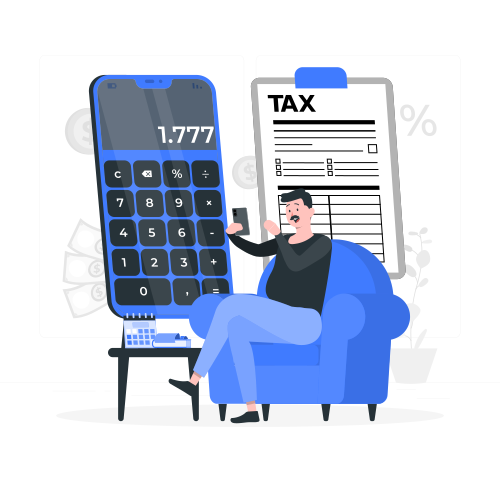
This is where everything hinges, and where almost everyone gets it wrong. The trap comes down to one sentence: Airbnb calculates its commission on your final displayed price, meaning after your increase. The fee is deducted from the total, not added on top.
A concrete example. Your commission is 15.5% and your current price is €100 per night. Before, your guest paid about €114.50 all in and you received €97. Let's compare adjustment methods:
| Method | Guest pays | You receive | Verdict |
|---|---|---|---|
| Do nothing | €100.00 | €84.50 | You cut your own pay by 12.9% |
| Add 15.5% | €115.50 | €97.60 | Wrong, still leaving money on the table |
| Multiply by 1.1479 (+14.8%) | €114.79 | €97.00 | Your old payout, restored |
| Multiply by 1.1834 (+18.34%) | €118.34 | €100.00 | Your full price, protected |
Every wrong version makes the same mistake: adding fees on top, when fees are actually deducted from the total. The rule is simple: to receive X after commission, display X divided by (1 minus the commission rate). You divide, you don't multiply. At 15.5%, that's 100 ÷ 0.845 = 118.34, an increase of 18.34%.
Which correct version to choose: +14.8% or +18.34%?
Both are correct, they just aim for different targets:
- +14.8% (x 1.1479) restores your old net payout. The guest pays roughly what they paid before. This is the safest option for conversion, and it's what Airbnb's tool targets.
- +18.34% (x 1.1834) restores your full price. You also recover the 3% "hidden commission" you were paying under the old model. The guest pays a few euros more than before, and you pocket €3 more per €100 of booking value.
When in doubt, go with 18.34%. If your listed price is your money, this is the version that makes you whole.
Your rate isn't 15.5%? Same logic, different number
| Your host-only fee | Markup to recover your full price |
|---|---|
| 14% | +16.28% |
| 15% | +17.65% |
| 15.5% (most hosts) | +18.34% |
| 16% (Brazil, Mexico) | +19.05% |
One detail that costs hosts real money: the commission applies to your entire subtotal, not just the nightly rate. Cleaning fees, extra guest fees, pet fees -- all of it is subject to commission (except occupancy taxes collected by Airbnb). A host who forgets to mark up a €150 cleaning fee is giving Airbnb roughly €23 on every booking. Mark up every pricing component.
The VAT special case (hosts in France and the EU)
Here is the point that 90% of articles skip, and it changes the math entirely. If Airbnb charges its commission with 20% VAT (the case for most French hosts who cannot reclaim that VAT), your real rate is no longer 15.5%, it is 18.6%. And the correct markup is no longer 18.34%, it jumps to 22.85%.
The step-by-step math, for a host who bears the VAT:
- Real rate incl. VAT: the base commission is 15.5%. The 20% VAT applies on top of it, so 15.5% × 20% = 3.1%. Total taken by Airbnb: 15.5% + 3.1% = 18.6% incl. VAT.
- The reverse calculation: the 100€ you want to keep is what's left after the 18.6%, so 81.4% of the displayed price. Price to display: 100€ ÷ 0.814 = 122.85€.
- Check: on 122.85€, commission at 15.5% = 19.04€, VAT on the commission = 3.81€, total taken = 22.85€. You keep 122.85 − 22.85 = 100.00€ exactly.
The classic trap: if you naively add 18.6% to your 100€ (giving 118.60€), you lose money, because Airbnb calculates its 18.6% on the final price. You would keep only 118.60 × 0.814 = 96.54€. The shortcut to remember: for any amount you want to net, multiply it by 1.2285 to get the price to display.
Two important nuances. First, this calculation only concerns hosts who actually bear this VAT. If you are VAT-registered with a valid intra-community number, Airbnb invoices you without VAT (reverse charge) and you stay at 18.34%. Second, for non-registered hosts, Airbnb's adjustment tool already factors this tax into its calculation. If you're unsure about your situation, ask your accountant and take a look at our LMNP tax guide 2026.

4. Which type of host are you? Find your case
This is where most guides stay vague. Let's be specific: there are four situations, four different actions. The golden rule that applies to everyone: adjust in one place only. Two stacked adjustments will inflate your rates by 30 to 40%, and at that point you're the one driving guests away.
Case 1: You set your prices manually on Airbnb
You're the primary target of the price adjustment tool. It appears in your account before the deadline and applies a single increase to everything: base rate, custom prices, weekends, promotions, add-ons, across all your listings (active and inactive), for two years of calendar. Our advice: use it -- it saves you hours of manual editing. But keep three things in mind:
- It also raises your cleaning fees and add-ons, intentionally, so you don't lose out there either.
- It touches calendar dates before the transition too, which is surprising, but reservations already booked keep the old fees. No euro is lost.
- Most importantly, it restores your old payout, not your full price. After running it, decide whether you want to push everything up by about 3 more points to hit 18.34%. Five minutes that are worth €3 more per €100, for life.
What the tool doesn't handle: fixed-amount promotions, which need to be reviewed manually (percentage-based discounts adjust themselves automatically).
Case 2: You use Airbnb's Smart Pricing
Good news: once you're on the host-only fee, Smart Pricing already factors in the new fees when generating prices. The adjustment tool mainly changes your minimum and maximum price, not the prices themselves. The trap is here: if your price floor hasn't been raised, Smart Pricing can sell nights at the old rate and let the commission eat the difference. Check your minimum in Calendar, then Smart Pricing, and also review any prices you've manually forced on specific dates.
Case 3: You connect a pricing tool directly to Airbnb (PriceLabs, Beyond, Wheelhouse, etc.)
A surprising classification: in Airbnb's eyes, you are a non-connected host. The 2025-2026 waves targeted PMS users via the management API. Dynamic pricing tools that connect directly don't use that API, so they weren't covered until now. But this wave is yours.
The move: adjust in your pricing tool, not on Airbnb. The tool rewrites prices on every sync, so if you let Airbnb's tool modify your prices, the next sync will overwrite everything and push you back below your target without you noticing. Raise your base prices (or your offset, if the tool has one) by the appropriate markup, raise the minimum too, and manually increase your cleaning fees on the Airbnb side. If Airbnb's tool only offers the fee structure change, accept that, but ignore the price adjustment portion.
Case 4: You use a PMS or channel manager (Guesty, Hostaway, Lodgify, Smoobu, etc.)
You've almost certainly already made the switch, in October 2025 or April 2026. If your payouts have been correct since then, you're done. If you never adjusted, do it now in the Airbnb-specific markup field of your channel manager (18.34% for a 15.5% fee). A common trap: with some PMS platforms, the markup only applies to nightly rates, leaving your cleaning fees exposed to the full 15.5% until you update them separately. Check how your tool handles add-on fees before assuming you're fully covered.
5. Verify, regardless of your case
Open your listing in a private browsing window and run a test booking on a future date. From the guest side, you should see the updated price, no "service fee" line, and a total close to what guests paid before. From the host side, the preview should show the commission deducted and a payout in line with your target. Two minutes, and you know whether the math worked.
One alert from the October 2025 wave: in the 24 to 48 hours after transition, some hosts saw a display bug where the listing was still stacking guest fees on top of the new host fee, creating an overcharge of about 30%. That's a transition bug. If the preview looks wrong on day one, take a screenshot, contact support, wait, and re-check before touching anything.
6. Will your listing look more expensive?
Barely, for new guests. Those who paid about €114.50 all in will now pay €114.79 or €118.34 depending on your choice. No listing jumps 15% overnight: the service fees simply migrated from the guest's line to yours. Airbnb's bet, the same one Booking.com made, is that a clean round price converts better than a subtotal padded with extra fees.
Two real perception questions remain, let's be honest. First, the transition will be messy for a few weeks: some hosts around you will do nothing, and a "do nothing" host will display a guest price roughly 13% lower (the fees disappear, but their price stays the same). Don't align yourself with them -- that would be making their mistake. Most will correct course once they see their payouts shrink.
Second, returning guests remember the old rate. A regular who paid "€100 a night" will now see €118, with no way to distinguish your share from Airbnb's. Prepare a simple line: "Airbnb changed its fee policy, fees are now included in my price, and your total is the same as before." That's true, verifiable, and ends the conversation.
Two practical points not to forget
Your gross revenue figures will climb 15 to 18% while your actual profit stays the same. Since the commission is deductible, there's no income tax impact. Watch out though: this gross increase can push you toward a VAT threshold faster, and if you pay a co-host or a property manager based on "the revenue," clarify right now whether you mean gross or net. That's a classic source of disputes.
Finally, ignore Airbnb's price suggestions for a few weeks: their recommendation tools will also need time to adjust to an entirely re-priced market.
7. FAQ: Airbnb host-only fee
What is the new Airbnb commission amount for hosts?
Most hosts pay 15.5% of the booking subtotal (nightly rate plus cleaning fees and add-ons, excluding taxes). Depending on country, listing type, and cancellation policy, the commission ranges from 14% to 16%, with Brazil and Mexico at 16%. Your exact rate appears in your listing's fee details.
Do I need to raise my prices by 15.5% to compensate?
No, that's the classic mistake. Because the commission is calculated on the final displayed price, a 15.5% increase doesn't fully compensate. Multiply your rates by 1.1834 (+18.34%) to restore your full price, or by 1.1479 (+14.8%) to keep exactly your old net payout.
What does Airbnb's price adjustment tool do?
It's a one-time in-app tool for hosts without property management software. It adjusts all prices (base, custom, weekend, promotional) and add-ons across all your listings for two years of calendar, and can switch your commission structure at the same time, irreversibly. Its goal is to restore your old payout, not your full price. Fixed-amount promotions need to be reviewed manually.
What happens to my existing confirmed reservations?
They keep the old split-fee model. Airbnb confirms that the new structure only applies to bookings made after your transition, and that prior reservations are not affected, even if modified later. Your existing calendar is secure.
I use PriceLabs or Beyond without a PMS -- am I affected?
Yes. Connecting a pricing tool directly to Airbnb doesn't count as "connected to software" in Airbnb's view, because those tools don't use the management API that triggered the 2025-2026 waves. You fall into the non-connected host wave. Adjust in your tool (base prices and minimum), mark up your Airbnb fees manually, and don't let Airbnb's tool touch your prices.
Does the guest now pay Airbnb at the same time as me?
No. With the host-only fee, guests no longer pay any Airbnb fees. If you see both fee types on a reservation in the one to two days after the switch, that's a known temporary bug: take a screenshot and contact support.
Can the host-only fee be avoided?
Not on Airbnb -- the split-fee model ends for everyone, and removing your pricing tool won't keep it. If the host-side commission bothers you, the real answer is diversification: Vrbo, Booking.com (which already charges hosts around 15%) and especially direct bookings, with no commission at all.
In summary
Airbnb is finishing a migration that started in October 2025, country by country, with hard deadlines and a dedicated tool. This isn't a crisis -- it's a change you manage with one division: to receive X after commission, display X divided by (1 minus the commission), which is divided by 0.845 for most hosts. Airbnb's tool keeps you even; only the right formula makes you truly whole and recovers the 3% from before. The only hosts who will lose are those who do nothing, or who naively add 15.5% and wonder where their revenue went.
Identify your case, check your actual rate, divide, run the private-browsing test, and move on. And while you're optimizing your revenue, don't overlook the most profitable lever of all -- the guest experience: a good free digital welcome book kills the questions, the messages, and the frustrations, and turns a decent stay into a 5-star review. To go further, discover how to increase your Airbnb revenue or delegate management to a property management service.
Articles similaires