
Create your QR code welcome book for free
Create my welcome bookQR Code Welcome Book: Instant Access for Your Guests
Create a welcome book accessible via QR code for your rental. Guests scan and instantly access the guide. Free, no app required.
Create my welcome book — 100% free, no credit card required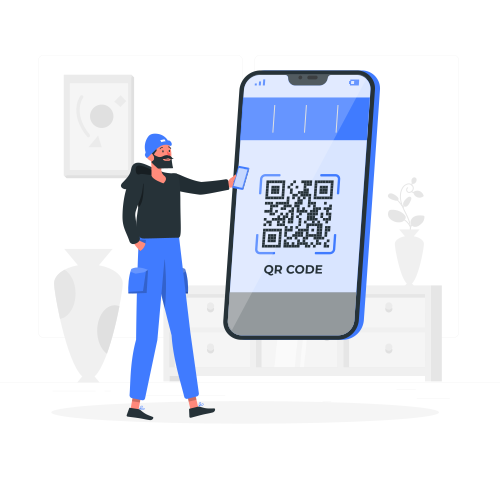
Why use a QR code for your welcome book?
- Instant access in 2 seconds using the smartphone camera
- No app required, compatible with all recent smartphones
- Permanent QR code that stays the same even when you update the welcome book
- Easy to print on any surface: paper, sticker, or frame
- Works even without prior connection to the property WiFi
- A modern and hygienic alternative to shared paper binders
The QR code has become the simplest and fastest way to give access to your welcome book. A 2-second scan with the smartphone camera and your guest has all the property information at their fingertips. No app to install, no account to create, no password to remember.
Displayed in the entryway, on the fridge, or in a welcome frame, your welcome book QR code is the first thing your guests reach for upon arrival. LivretAccueil automatically generates a unique QR code for each welcome book, ready to print and display.
How the QR code welcome book works
The concept is remarkably simple: a code displayed in the property links to your online guide. Here's how it works in practice.
You create your welcome book
Enter your property information on LivretAccueil: WiFi, appliances, recommendations, rules. Your welcome book is automatically formatted professionally and a unique QR code is generated instantly.
You display the QR code
Download your QR code and print it on the surface of your choice. Stick it in the entryway, place it in a nice frame, or include it in your welcome kit. A single QR code gives access to the entire welcome book.
Your guests scan
Upon arrival, your guests open their smartphone camera, point it at the QR code, and instantly access your welcome book. The experience is smooth, intuitive, and requires no explanation on your part.
Where to place your QR code in the property
The strategic placement of your QR code determines how likely your guests are to scan it. Here are the most effective locations tested by our hosts.
The property entrance
This is the number one spot. Place a nice frame with the QR code and a welcome message right at the entrance. Your guests see it immediately when they set down their bags and instinctively scan it before even exploring the property.
Next to the WiFi router
Placing the QR code near the router is strategic: the first thing a guest looks for is the WiFi. By scanning the QR code to find the WiFi password, they discover all the content of your welcome book.
On the fridge
A magnet or sticker on the fridge is visible throughout the stay. It's the ideal spot for guests to easily find the welcome book during their visit, especially when looking up your restaurant recommendations.
In the welcome message
In addition to the physical QR code, send the direct link in your welcome message before arrival. This way, your guests can browse the welcome book during their trip and the on-site QR code serves as a handy reminder.

Get your QR code in 2 minutes
Create your welcome book and automatically receive a print-ready QR code. Free, no app needed, no credit card required.
The benefits of QR codes for guest welcome
The QR code combines ease of use with modern technology to deliver the best possible welcome experience for your guests.
Tips to optimize QR code usage
Add accompanying text
Don't place the QR code alone. Add a short text like "Scan to access the property guide" or "Your stay guide here." Some guests may not yet know that a QR code can be scanned with the standard camera.
Choose a durable surface
Opt for a frame, laminated sticker, or magnetic mount rather than a plain sheet of paper. A QR code on an attractive surface gives a professional impression and withstands the wear from successive guests.
Test before each season
Scan your QR code regularly to verify it works correctly and that the welcome book displays properly. Take the opportunity to check that information is current, especially store hours and seasonal recommendations.
The QR code: bridging your property and your welcome book
The QR code has transformed how guests access their accommodation information. No more rummaging through a drawer to find a binder: one scan is all it takes to get every answer. This simplicity directly translates into fewer questions, less stress, and better reviews.
LivretAccueil generates a unique QR code for free with every welcome book you create. Print it, display it, and let the technology do the rest. Your guests will thank you for this touch of modernity that simplifies their stay.
Other formats for your welcome book

Digital Welcome Book: The Interactive Guide for Your Guests
Create an interactive digital welcome book for your guests. Replace paper with a smartphone-friendly digital guide. Free and ready in 2 minutes.

Paper to Digital: Transform Your Welcome Book
Replace your paper welcome book with a modern digital guide. Easy transition, no tech skills needed. Free and ready in 2 minutes.

PDF Welcome Book: Your Guide to Going Interactive
Discover why an interactive welcome book outperforms a traditional PDF. Compare formats and create your digital guide for free.

Free Welcome Book: Create Your Guide Without Spending a Cent
Create your welcome book for free in 2 minutes. No credit card, no hidden costs. The best free tool for vacation rental hosts.
Welcome Book Examples: Get Inspired by the Best Templates
Discover successful welcome book examples for inspiration. Templates, samples, and tips to create the perfect guide. Free.

Airbnb welcome book template: get 5-star reviews
Download our free Airbnb welcome book template. Pre-filled content, professional design and Superhost tips to get 5-star reviews.
FAQ
Simply open your smartphone camera and point it at the QR code. A notification automatically appears to open the welcome book link in the browser. No special app is needed on recent smartphones (iPhone and Android).
No, that's one of the great advantages of the system. Your QR code points to a fixed address. When you update your welcome book content, the QR code stays the same and guests automatically see the latest version. No need to reprint.
A QR code of at least 3 cm x 3 cm is recommended for easy scanning at arm's length. For wall displays or frames, go for 5 to 8 cm per side. LivretAccueil provides the QR code in high resolution for crisp printing at any size.
Scanning the QR code works without WiFi, but displaying the welcome book requires an Internet connection. If your guests don't have mobile data, they'll need to connect to WiFi first. Tip: display the WiFi password next to the QR code to solve this issue.
Your welcome book has a single QR code that you can print as many times as needed and place in different locations throughout the property. If you manage multiple properties, each one will have its own welcome book with its own distinct QR code.